
 how-to
Streamline Front Desk for Gyms: 2026 How-To Guide
Table of Contents
- Why Your Gym Front Desk Is Costing You Members
- What You'll Need Before You simplify Front Desk for Gyms
- Step 1: Choose the Right Gym Check-In System Software
- Step 2: Map Your Gym Front Desk Workflow Optimization Priorities
- Step 3: Apply Best Practices for Gym Reception That Members Notice
- Step 4: Train Staff and Prevent Front Desk Burnout
- Step 5: Lock Down Security and Emergency Response at the Desk
- Common Mistakes to Avoid When You simplify Front Desk for Gyms
- Frequently Asked Questions
Last Updated: September 12, 2026
Why Your Gym Front Desk Is Costing You Members
The 2026 industry benchmark for gym member retention sits at 66.4%, which means roughly one in three members walks out the door every year. That number should bother you, because the front desk is where most of those exits begin. At Global Velocity, we work with service businesses that live or die on how well they handle the first and last interaction with a customer, and gyms are no different. A slow check-in, a missed call, a renewal that nobody followed up on: each one chips away at a membership worth about $517 annually (LeadResponse fitness industry statistics). simplifying front desk for gyms is not about buying shinier software. It is about removing the friction that turns a paying member into a cancellation.
The gym floor and the physical front desk are no longer the primary points of first contact for new members, according to LeadResponse's 2026 industry analysis. People inquire by phone, book online, and expect a response within minutes. When your receptionist is buried in paperwork, those inquiries go cold.
What You'll Need Before You simplify Front Desk for Gyms
Before changing a single process, gather four things: a list of every front desk task, peak traffic times by hour, a membership database export, and a budget for software and staff training. Skipping this is the most common reason gym front desk workflow optimization projects stall halfway through.
You also need buy-in from whoever works the desk. Staff who feel a system is imposed on them will quietly work around it, so walk them through the plan before you install anything.
- A written inventory of daily, weekly, and monthly administrative tasks
- Traffic data showing your busiest check-in windows
- A clean membership database with current contact details
- A named staff member who owns the rollout
Step 1: Choose the Right Gym Check-In System Software
The right gym check-in system software matches your traffic volume, not your ambition. A 200-member studio and a 4,000-member facility need different tools, and buying for the wrong one wastes money and staff patience.
Start with three questions: how many members enter per hour at peak, do you need to capture payment at the door, and do you want self-check-in or a personal greeting? Your answers narrow the field fast.
Kiosk, Key Fob, or Biometric Scanning: Which Check-In Fits Your Traffic Flow
| Method | Best For | Main Drawback |
|---|---|---|
| Kiosk integration | High-volume gyms with peak-hour queues | Members can bypass staff entirely |
| Key fob system | Mid-size gyms wanting low cost per member | Fobs get lost and need replacing |
| Biometric scanning | Facilities with strict access control needs | Privacy questions from some members |
Most gyms run a hybrid: key fobs for daily entry, a kiosk for guest passes and class sign-ups, and staff free to handle the conversations that actually retain people.
Step 2: Map Your Gym Front Desk Workflow Optimization Priorities
Rank every front desk task by what it costs when it goes wrong. Missed calls and unfollowed leads sit at the top, because a lost inquiry is a lost membership; supply runs and filing sit at the bottom. But ranking alone does not tell you what to automate, you need a cost-benefit lens comparing loaded human staffing cost against automation cost.
A Cost-Benefit Framework for Automation vs. Human Staffing
Most operators skip this step and buy software on enthusiasm, ending up with tools that duplicate work instead of removing it. Use this four-column framework for every task:
| Task | Loaded staff cost per hour | Automation cost per hour | Break-even volume |
|---|---|---|---|
| Member check-in | Highest (wage + benefits + turnover) | Low (per-scan or flat monthly) | Very low, automate first |
| Class booking and reminders | High | Low | Low, automate |
| Billing and renewal notices | High | Low | Low, automate |
| Complaint handling | High | Not viable | Never automate |
| Injury or accommodation questions | High | Not viable | Never automate |
| Guest passes and waivers | Medium | Low | Medium, automate with staff oversight |
Loaded staff cost includes benefits, payroll taxes, training time, and replacing a front desk associate who leaves. Turnover at the desk often runs higher than in any other role, so the true cost of a human-staffed task is frequently 1.3 to 1.5 times the posted wage once hiring and onboarding are counted.
Automation cost per hour is rarely a straight line. Most platforms price by member count or location, so per-hour cost falls as membership grows. That is why break-even volume matters: a task not worth automating at 200 members may be clearly worth it at 800.
Where Automation Helps and Where It Hurts
Automation wins on repetition: booking confirmations, payment reminders, renewal notices, and after-hours inquiry handling. It loses on judgment, a member upset about a billing error, or a prospect asking about an injury accommodation, needs a person.
The financial trap is automating a task that still needs a human to clean up afterward. If your automated renewal notice generates confused replies staff must answer, you have moved labor, not saved it. Track follow-up volume for 60 days after any automation goes live; if follow-ups do not fall, it is not working.
A second trap is cutting staff hours before automation is proven. The savings look real on a spreadsheet and disappear in the first peak-hour queue. Run automation and staff in parallel for at least one full billing cycle before reducing coverage.
A Practical Decision Rule
If a task is high-volume, low-judgment, and has a clear digital trigger, automate it. If it is low-volume, high-judgment, or tied to a member's emotional state, keep a human on it with authority to resolve it. Everything in between gets a 90-day trial with a follow-up-volume metric attached. That rule keeps your budget pointed at tasks where automation pays back and protects the conversations that keep members renewing.
Step 3: Apply Best Practices for Gym Reception That Members Notice
The best practices for gym reception come down to speed, recognition, and follow-through: members checked in within seconds, greeted by name where possible, and never made to repeat information they have already given you.
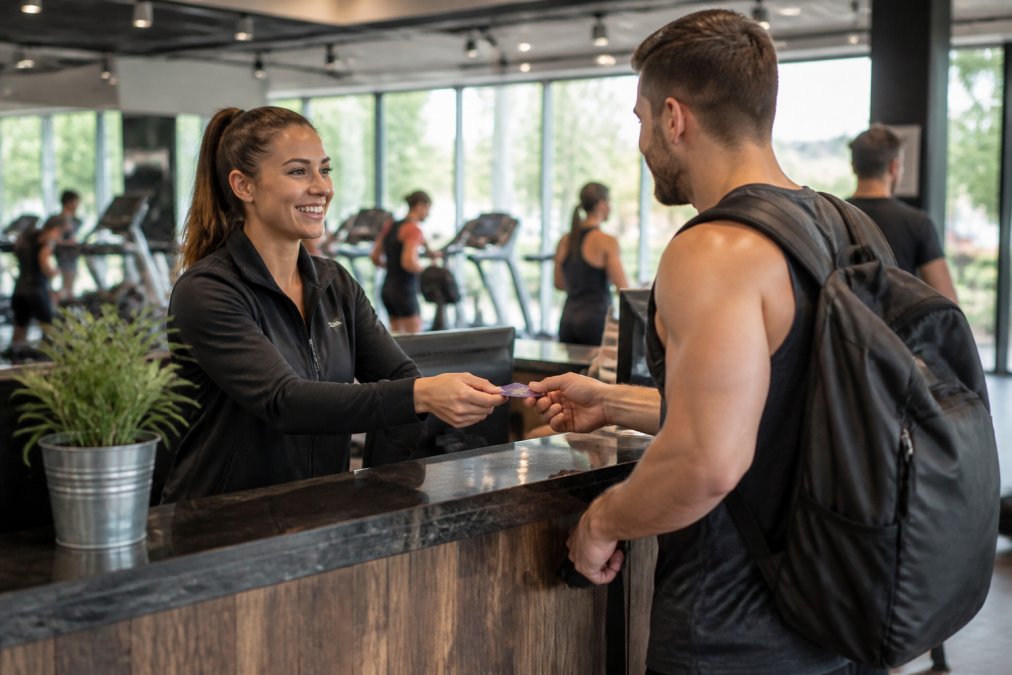
A practical setup looks like this:
- Pre-load member photos and names so staff can greet people personally
- Keep a tablet at the desk for instant sign-ups and digital waivers
- Route after-hours calls to an answering system that books rather than takes messages
- Log every complaint in your CRM so patterns surface before they become cancellations
That fourth point matters more than most operators realize. A 2022 study in the National Institutes of Health research library examined operational strategies in fitness clubs and found that how a facility manages member experience directly shapes retention outcomes. Complaints you never record are complaints you never fix.
Step 4: Train Staff and Prevent Front Desk Burnout
Front desk burnout is the retention problem nobody talks about. The same person answering calls, handling sign-ups, chasing payments, and managing complaints will disengage within months, and members feel it immediately.
Rotate tasks so no one spends a full shift on phones. Give staff authority to resolve small issues without a manager. And build a written service standard so expectations are clear from day one.
- Cross-train every front desk associate on check-in, sales, and basic facility management
- Set a rule that no member waits more than 60 seconds without acknowledgment
- Review staffing against your traffic data quarterly, not annually
A gym that used AI to handle sales performance and front desk operations reported a 10x improvement in sales performance, according to SmartOWL case study. The lesson is not that AI replaces people. It is that removing repetitive work frees staff to do the work that keeps members.
Step 5: Lock Down Security and Emergency Response at the Desk
Your front desk is your facility's first line of security. Every person who walks in should pass through a controlled entry point, and every staff member should know the emergency protocol without looking it up. A single unchecked entry or slow emergency response can undo years of retention work.
Access Control That Actually Controls Access
A staffed entry point is not the same as a controlled one, if a member can hold the door for a stranger, your access control is decorative. Most facilities land on three layers:
- Primary entry: key fob, mobile credential, or biometric scan tied to an active membership
- Secondary entry: a staffed desk that can visually verify anyone whose credential fails
- Exception path: a written process for guests, contractors, and deliveries that does not involve propping the door
Review door access logs weekly for tailgating patterns, two entries within seconds on a single credential, the most common sign your controlled entry is being bypassed.
Emergency Response: Post It, Practice It, Log It
Emergency procedures in a binder nobody opens are not procedures. Post them at the desk and run a walkthrough at least twice a year, covering four scenarios:
- Medical events: who calls emergency services, who clears the area, who retrieves the AED, and where the incident form lives
- Fire: primary and secondary exit routes, who sweeps the change rooms, and where the muster point is
- Lockdown or threat: how the desk locks down entry, how staff communicate internally without alerting the person at the door, and who calls police
- Power or system outage: how you check members in manually, where the paper backup list is stored, and how you restore access control afterward
The desk associate on shift should be able to state the first action for each scenario without checking. If they cannot, the protocol is written, not trained.
Incident Logging That Surfaces Patterns
A simple incident form should capture date, time, location, people involved, what happened, what was done, and whether follow-up is needed. Log injuries, disputes, equipment failures, and near-misses, near-misses matter most because they predict the next injury. Review the log monthly; if the same equipment or time of day keeps appearing, you have an operational fix, not a staffing problem.
Data Security at the Desk
Member records should live in a system with role-based access, not a shared spreadsheet or a sticky note by the terminal. At minimum:
- Each staff member has their own login, no shared passwords
- Access to payment and health information is limited to roles that need it
- Former staff accounts are deactivated the day they leave
- Physical documents with member information are locked, not left at the desk overnight
Facility security and member data protection are not optional extras. They are part of what members pay for, and a single breach or unchecked entry damages trust faster than any marketing can rebuild it.
Common Mistakes to Avoid When You simplify Front Desk for Gyms
The most expensive mistake is buying software before mapping your process. You end up automating a broken workflow, which just makes the breakage faster.
Other frequent errors:
- Treating digital waivers and sign-ups as an afterthought, then chasing paper forms for weeks
- Ignoring CRM integration, so member data lives in three places and matches nowhere
- Cutting reception staff before automation is proven, leaving gaps during peak hours
- Skipping staff training and assuming people will figure out the new system
Get these right and the returns compound. Operators who tighten sales, member engagement, and operations report growth potential of around 30%, according to ABC Ignite fitness industry data. That growth starts at the desk.
Most gyms lose members not because of equipment or pricing, but because the front desk experience is slow, impersonal, and inconsistent. Global Velocity builds the tools that fix this: an all-in-one Business Operating System that replaces scattered scheduling, CRM, and payment software, AI employees that answer calls in under two seconds and book jobs around the clock, and smart websites that turn clicks into members. Book a free demo with Global Velocity and see how a front desk that never misses a call changes your retention numbers.
Frequently Asked Questions
What does a front desk receptionist actually do at a gym?
A gym front desk associate handles member check-in, answers calls and inquiries, processes payments and membership renewals, manages digital waivers, and keeps the facility secure. They are also the first person to notice a frustrated member or a safety issue. When you streamline front desk for gyms, software takes over repetitive tasks like access control and scheduling, so staff can focus on member engagement and service standards instead of paperwork.
How can automation improve the member check-in process?
Automated check-in cuts wait times and removes manual errors. A gym check-in system software using kiosk integration, key fob systems, or biometric scanning logs arrivals in real time, updates the membership database, and flags expired accounts instantly. This frees your front desk associate to greet members and handle exceptions. The result is faster gym traffic flow, cleaner data for real-time reporting, and a smoother onboarding process for new members.
How do you balance personal member service with automated front desk systems?
Automate the routine, staff the human moments. Let software handle check-in, booking, and payment reminders, then train staff to step in for complaints, high-value inquiries, and new member tours. Industry data shows 66.4% annual member retention in 2026, meaning one in three members leaves each year. Personal recognition at the desk is one of the cheapest ways to protect that recurring revenue, so keep people where connection matters most.
What are the benefits of integrating CRM software with gym access control?
Connecting your CRM integration to access control gives you one membership database instead of two. When a member checks in, the system updates attendance, triggers follow-ups for missed visits, and supports data-driven management of renewals. It also reduces administrative tasks at the desk and improves operational efficiency. Gyms that unify these tools report better member engagement and fewer billing disputes, because staff see one accurate record per member.