 how-to
How to Automate HVAC Service Agreements and Renewals
Last Updated: November 2, 2026
Quick Summary
Automating HVAC service agreements means connecting the agreement, its maintenance schedule, and renewal reminders in one system, so a signed contract triggers recurring visits, visits generate work orders, and expiry dates trigger outreach. Build one master template, set visit rules per coverage tier, and run a multi-channel renewal sequence starting 60 days before expiry.
- Every service contract moves through four stages: creation, scheduling, delivery, and renewal.
- Build one master HVAC maintenance agreement template, then create variants for each coverage tier.
- Set recurring visit rules per coverage tier so each agreement generates its own scheduled visits.
- Start the renewal sequence 60 days before expiry and exit the automation immediately on renewal.
- Review renewal rate, lapse rate, average contract value, and days-to-renew monthly.
Table of Contents
- What Automating HVAC Service Agreements Actually Involves
- Step 1: Choose HVAC Maintenance Agreement Software That Fits Your Workflow
- Step 2: Build Your HVAC Maintenance Agreement Template
- Step 3: Set Up HVAC Preventive Maintenance Scheduling
- Step 4: Write the HVAC Service Agreement Renewal Email Sequence
- Exceptions, Edge Cases, and Consent Rules to Plan For
- Measuring Renewal Performance After You Automate
- Book a Free Demo and Map Your First Agreement Workflow
- Frequently Asked Questions
What Automating HVAC Service Agreements Actually Involves
Automating HVAC service agreements and renewals means connecting three things that usually live in separate places: the agreement itself, the maintenance schedule it creates, and the reminder that brings the customer back. Most contractors handle those three in a spreadsheet, a calendar, and someone's memory. Automation puts them in one system where a signed agreement triggers visits, visits generate work orders, and renewal dates generate outreach without anyone checking a list.
The agreement gets sold, the first visit happens, and then the file goes quiet until a customer calls to cancel because they forgot they had a plan. The fix isn't more admin staff. It's a workflow.
The Four Stages of an Agreement Lifecycle
Every service contract moves through four stages, and each one needs its own automation:
- Creation - building the agreement from a template and capturing a signature
- Scheduling - turning coverage terms into recurring preventive maintenance visits
- Delivery - dispatching technicians and generating work orders from the schedule
- Renewal - flagging the expiry date and sending a renewal notification before the agreement lapses
Miss any stage and the agreement either never gets sold or quietly dies at renewal. Smart Service's guide to HVAC service agreement tracking describes this same cycle, with software auto-scheduling recurring visits and flagging renewals.
| Stage | What Breaks Without Automation | What Automation Handles |
|---|---|---|
| Creation | Blank templates, missed signatures | Template library, e-signature capture |
| Scheduling | Visits booked by memory | Recurring visit rules per coverage tier |
| Delivery | Work orders written by hand | Auto-generated work orders and dispatch |
| Renewal | Agreements lapse silently | Renewal reminders before expiry |
Step 1: Choose HVAC Maintenance Agreement Software That Fits Your Workflow
Pick software by workflow fit, not by feature count.
Start with a short list of requirements:
- Can it build an agreement from a template and capture a signature?
- Does a signed agreement automatically create recurring visits?
- Does it generate work orders from those visits?
- Does it flag renewal dates and send reminders?
- Can it hold a payment method on file for recurring billing?
A common mistake is buying a field service platform for dispatch and then bolting on a separate contract tool. The data never syncs, and someone re-enters the same customer records twice.
If you want to see how agreement tracking sits inside a broader CRM and automation setup, our CRM and automations platform shows how follow-ups, lead tracking, and customer management connect to the same records.
Step 2: Build Your HVAC Maintenance Agreement Template
Build one master HVAC maintenance agreement template, then create variants for each coverage tier. The template should state what's covered, what isn't, the visit frequency, the term length, the renewal terms, and the cancellation policy in plain language.
Cover these sections in every template:
- Service coverage - which equipment and which tasks are included
- Coverage tier - what separates the basic plan from the comprehensive one
- Visit frequency - how many preventive maintenance visits per year
- Agreement terms - start date, term length, auto-renewal clause
- Payment terms - recurring billing schedule and payment method on file
- Exclusions - what counts as a billable service call
What most guides miss is the auto-renewal clause. Write the clause so a customer understands exactly what renews, when, and how to cancel. Have your template reviewed against the consumer protection rules that apply where you operate.
Step 3: Set Up HVAC Preventive Maintenance Scheduling
HVAC preventive maintenance scheduling works by turning each agreement's coverage terms into recurring visit rules.
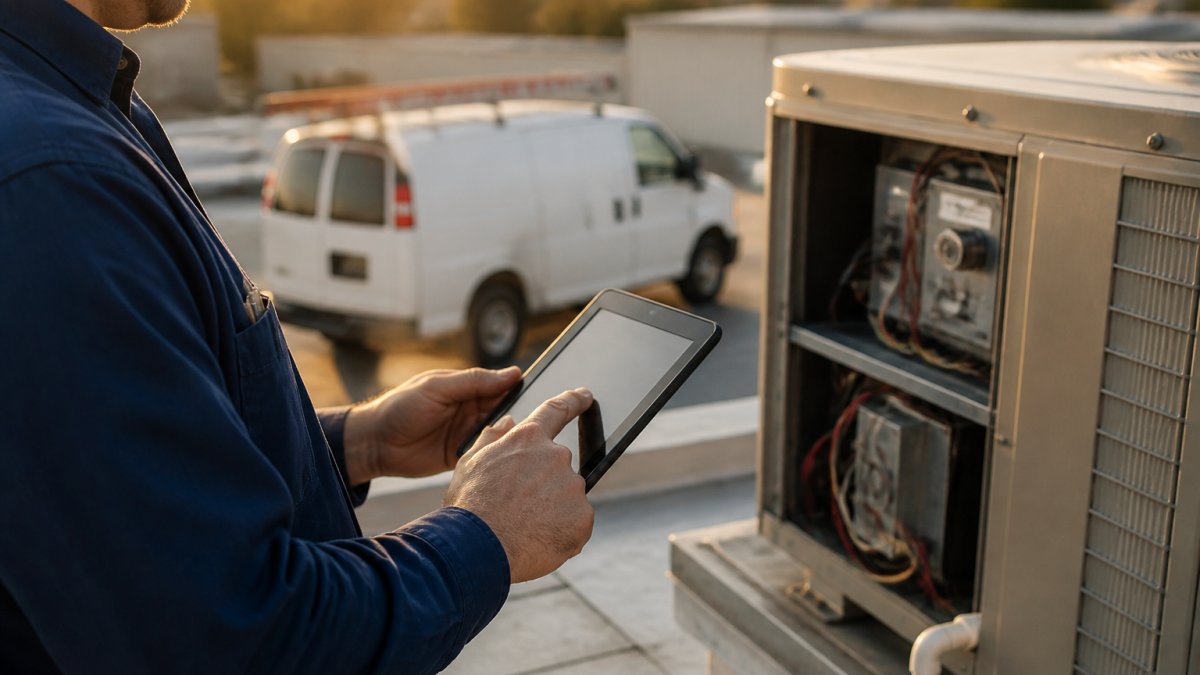
Set the rules once per tier:
- Define visit frequency per coverage tier
- Set seasonal windows, such as cooling checks before summer and heating checks before winter
- Assign default technician skill level per visit type
- Set the lead time for booking, so visits land on the calendar early
- Configure what happens when a customer reschedules
Watch out: if you don't set a reschedule rule, missed visits pile up at quarter-end and technicians get double-booked. Decide upfront whether a missed visit rolls forward or expires.
For a deeper walkthrough of the scheduling layer itself, see our guide on how to automate HVAC scheduling.
Step 4: Write the HVAC Service Agreement Renewal Email Sequence
An HVAC service agreement renewal email works best as a multi-channel sequence, not a single message. Start well before expiry, remind the customer what the plan covered and what it prevented, then make renewal a one-click action.
A sequence that holds up in practice:
- Day -60: email, "Your plan renews soon" with a summary of visits completed and equipment serviced
- Day -45: SMS, short nudge with a link to the renewal page
- Day -30: email, renewal offer with the payment method on file confirmed and a clear price
- Day -14: SMS and email, reminder with a direct renewal link and a phone number for questions
- Day -7: phone call from the front desk, final notice before expiry, log the outcome
- Day 0: email, confirmation or a lapse notice with a win-back offer
- Day +7: SMS, win-back message with a limited-time incentive if the agreement lapsed
Personalize by segment. A commercial customer with three rooftop units needs different messaging than a homeowner with one furnace. Reference the equipment history and the service history, not generic copy. For commercial accounts, include a summary of avoided breakdowns and a proposed visit calendar for the coming year.
Handling Nonresponses, Objections, and Failed Payments
Most renewal sequences fail not at the first message but at the follow-up. Build explicit branches:
- No open after two emails: switch to SMS and a phone call. Do not keep sending email into a void.
- Opened but no click: send a one-question survey ("What's holding you back?") to surface objections early.
- Price objection: have a downgrade tier ready, not just a discount. Offer to adjust visit frequency or coverage scope.
- "I'll think about it": set a specific callback date and log it. The sequence should pause, not stop.
- Failed payment on file: retry once after 24 hours, then send a payment-update link by SMS and email. Pause renewal confirmation until payment clears.
- Hard decline: route to the front desk for a call within one business day. Do not let a failed card silently lapse the agreement.
Watch out: if you don't define a stop condition, customers who renew early keep getting reminders and the sequence damages trust. Set the automation to exit immediately on renewal, cancellation, or opt-out.
If you want the sequence to fire without manual sends, our AI workflows show how to trigger renewal messages from agreement dates. For reminder mechanics across channels, our guide on automating appointment reminders by text covers the practical setup.
Exceptions, Edge Cases, and Consent Rules to Plan For
Plan for exceptions before launch, because they're where most automated agreement systems fail. The six that come up most, with the operational steps to handle each:
- Equipment changes, a customer replaces a furnace mid-term. The agreement must follow the new equipment: update the equipment record, recalculate coverage and visit tasks, and confirm the change in writing. Decide whether the price changes mid-term or at renewal.
- Site changes, a commercial customer adds a second location. The system must support multiple sites per contract, with separate visit schedules and equipment lists. Bill the added site pro rata or at the next renewal, and state the rule in the template.
- Mid-term cancellation, define refund or credit rules in the template, not improvised. Common patterns are a pro-rata refund minus visits used, or a credit toward future service. Automate the calculation so the front desk doesn't guess.
- Payment failure, a declined card on file needs a retry path and a customer notification. Retry once after 24 hours, then send a payment-update link. Pause renewal confirmation until payment clears, and route hard declines to a call.
- Transferred ownership, a property sale. Decide whether the agreement transfers to the new owner or terminates. If it transfers, capture new contact and payment details and send a welcome notice. If it terminates, issue the final statement and close the record.
- Duplicate records, the same customer entered twice under different spellings or phone numbers. Run a dedupe check before launch and set a rule that new agreements attach to an existing customer record when the phone or email matches.
Consent matters as much as the workflow. Get explicit consent for recurring billing and for marketing messages, keep a record of when consent was given, and honor unsubscribe requests immediately.
For auto-renewal clauses, document the customer's acceptance of the renewal terms at signature, including the renewal price and cancellation window. Keep an auditable history of the agreement version the customer signed, any price or scope changes, and each renewal confirmation. If a dispute arises, that history is your defense.
Measuring Renewal Performance After You Automate
Measure renewal performance with four numbers, reviewed monthly: renewal rate, lapse rate, average contract value, and days-to-renew. Renewal rate tells you whether the sequence works. Lapse rate tells you how much recurring revenue you're losing. Contract value shows whether upsells are landing. Days-to-renew shows whether customers act early or wait for the final notice.
Track them on one dashboard:
| Metric | What It Tells You | Where to Look |
|---|---|---|
| Renewal rate | Sequence effectiveness | Renewals ÷ agreements due |
| Lapse rate | Revenue at risk | Lapsed ÷ agreements due |
| Average contract value | Upsell performance | Total contract value ÷ active agreements |
| Days-to-renew | Customer responsiveness | Average days from first notice to renewal |
A common mistake is measuring renewal rate across the whole book instead of by segment. Split it by coverage tier and by customer type. A commercial segment with a strong renewal rate can hide a homeowner segment that's leaking badly.
Book a Free Demo and Map Your First Agreement Workflow
The hardest part of automating HVAC service agreements and renewals isn't the software. It's deciding who owns the renewal conversation and what happens when a customer says no.
Global Velocity builds the front-desk layer that feeds this workflow. Our AI employees answer calls in under two seconds, qualify leads, and book jobs around the clock, so agreement inquiries never sit in a voicemail queue.
Get started with Global Velocity and turn your agreement book into recurring revenue that renews itself. Book a free consultation and we'll map your first agreement workflow with you.
Frequently Asked Questions
How do you automate HVAC service agreement renewals?
Store every agreement with a start date, term length, and auto-renewal flag in your field service software. The system then generates renewal reminders at set intervals, emails the customer a renewal notice, and updates the agreement status when payment clears. A payment method on file removes the manual chase entirely.
When should HVAC businesses send renewal reminders?
Start earlier than you think. A common sequence is 60 days out for commercial accounts and 30 days out for residential ones, followed by a second notice at 14 days and a final one at 7 days. Commercial agreements often need budget approval, which is why the longer runway helps. Pair each reminder with the equipment history for that site so the customer sees what the agreement actually covered before deciding.
What should an HVAC maintenance agreement include?
At minimum: covered equipment with model and serial numbers, the number and type of preventive maintenance visits, what parts and labour are included, exclusions, the term length, renewal and cancellation terms, and the payment schedule. Include a consent checkbox for auto-renewal and for storing a payment method. Keep the language plain enough that a property manager can approve it without calling you.
What is the difference between an HVAC service agreement and a maintenance contract?
The terms are used interchangeably in most of the trade, but a service agreement usually describes the ongoing relationship (scheduled visits, priority dispatch, discounts), while a maintenance contract tends to be the signed document that sets the legal terms, term length, and payment obligations. In practice you need both: the agreement defines the value, the contract makes it enforceable and renewable.