 how-to
How to Automate Roofing Quotes: A 2026 Guide
Table of Contents
- Why Roofing Quote Automation Matters in 2026
- Step 1: Build Roofing Quote Templates for Contractors
- Step 2: Use Roofing Estimation Software Features That Save Time
- Step 3: Automate Follow-Up and Proposal Delivery
- Step 4: Integrate Quotes With Your CRM and Scheduling
- Best Practices for Roofing Sales Automation
- Cost, Integration, and Staff Training Hurdles
- Build Your Automated Quoting Workflow
- Frequently Asked Questions
Last Updated: September 7, 2026
Manual quoting is quietly strangling roofing businesses, yet few realize they can automate roofing quotes with the right software. While 75% of contractors expect revenue growth in 2026, only 4% use AI built directly into their CRM, according to Roofing Industry Statistics 2026: Numbers That Matter. That gap between optimism and adoption is where you can pull ahead of every competitor still typing estimates into a calculator. Automating quotes for roofing business operations means replacing repetitive manual work with software that generates accurate, professional proposals in minutes. This guide from Global Velocity walks you through the exact steps to build that workflow.
The payoff is measurable. Contractors who digitized their estimating process reduced quote generation time to under 40 seconds and achieved a 6x increase in conversion rates, as documented in Roofle Automates Quoting Process for Roofing Contractors. Below, we'll show you how to capture similar gains, covering templates, estimation software, automated follow-up, and CRM integration. We'll also tackle the hurdles most guides ignore: costs, staff training, and legacy system headaches.
Why Roofing Quote Automation Matters in 2026
Quote automation is the process of using software to generate, deliver, and track roofing estimates without manual data entry for every request. It matters now because homeowner expectations have shifted dramatically. A 2026 survey by Roofr found that 74% of homeowners prioritize communication and speed over price, and 69% prefer contractors who use digital tools.
Speed has become a competitive weapon. When a homeowner submits a request, every hour you wait pushes them closer to a competitor who answers instantly. Automated systems capture lead details, calculate material and labor costs, and generate a polished proposal while you're still on the previous job.
The industry is moving toward self-service quoting, where customers can generate estimates directly through your website using embedded tools, as noted in 9 BEST AI Tools For Roofing Businesses. Contractors who embrace this trend capture leads at the moment of highest intent.
Step 1: Build Roofing Quote Templates for Contractors
Roofing quote templates for contractors are pre-built proposal structures that auto-fill job details, material lists, and pricing. Start by standardizing your most common jobs: asphalt shingle replacement, metal roofing, flat roof repair, and full tear-offs. Each template should include line items for materials, labor, disposal, permits, and contingency.
A strong template does more than list prices. It captures your scope of work, warranty terms, and payment schedule. Modern systems pull live material prices and historic labor rates to generate instant line-item quotes, a trend highlighted by Roofing Contractor. This ensures your estimates reflect current costs, protecting your job profitability.
Step 2: Use Roofing Estimation Software Features That Save Time
The right roofing estimation software features eliminate the two biggest time sinks: manual measurements and data re-entry. Look for platforms that integrate satellite measurements with AI to calculate roof squares without a ladder, feeding directly into your templates.
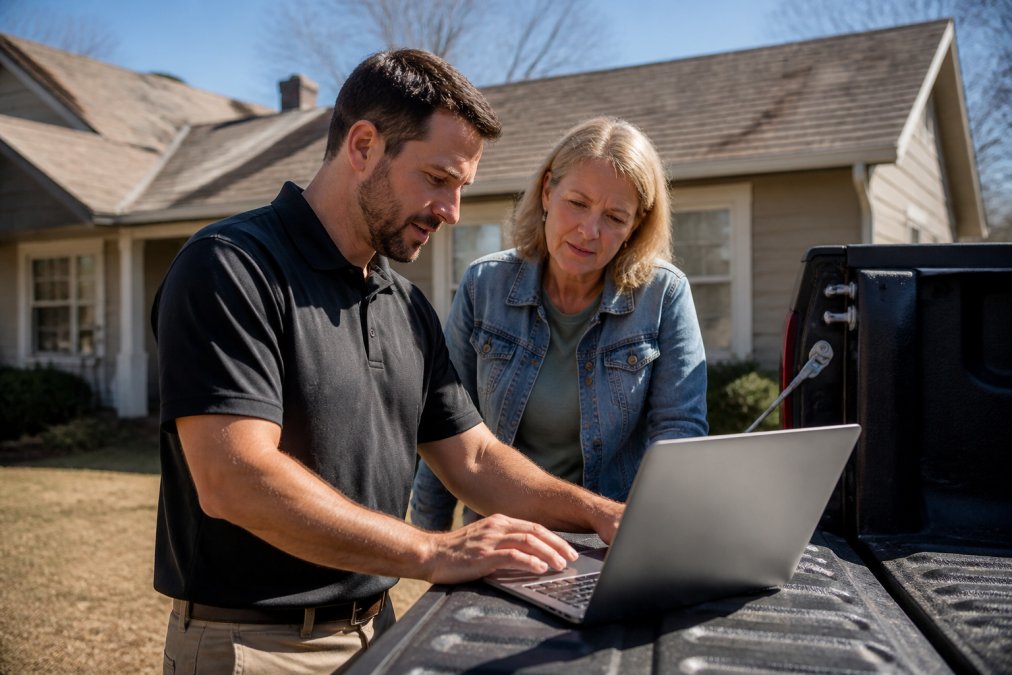
Beyond measurements, seek software with proposal templates, e-signature capture, and photo documentation tools. Reports generated with specialized software can cut report creation time by 60% through features like photo markup and CRM synchronization, according to Best Inspection Report Software for Roofing Companies 2026. The goal is one system that handles the entire quote-to-contract flow.
| Feature | What It Does | Time Saved |
|---|---|---|
| Aerial measurement | Calculates roof size from satellite imagery | Eliminates manual measuring |
| AI material pricing | Pulls live supplier costs | Prevents underpricing |
| Digital proposals | Auto-generates branded PDF estimates | Cuts drafting to minutes |
| E-signatures | Collects approval on any device | Removes back-and-forth |
Step 3: Automate Follow-Up and Proposal Delivery
Sending a quote is only half the battle. When a proposal goes out, trigger a scheduled series: an immediate delivery confirmation, a 48-hour check-in, and a final touchpoint at day seven.
Automated SMS and email reminders work especially well for roofing because the purchase cycle is short and urgent. Homeowners with a leaking roof want confirmation that someone is handling it. Automated follow-up ensures no lead falls through the cracks, compressing your sales cycle.
Step 4: Integrate Quotes With Your CRM and Scheduling
Integration is where quote automation either delivers its full value or becomes another data silo. The goal is a signed proposal that automatically creates a job, schedules the crew, and triggers an invoice. But for most roofing businesses, the reality is a patchwork of tools that don't talk to each other. Here's how to connect them without a full platform switch.
The Middleware Bridge: When APIs Don't Exist
Your quoting tool and CRM might not have a native integration. Middleware platforms like Zapier or Make act as a bridge between systems, watching for a trigger in one app, like a new quote marked "Accepted", and then performing an action in another, like creating a new job record in your scheduling software.
A typical workflow: when a quote status changes to "Signed," the middleware checks the customer's email against your CRM. If a match exists, it updates the deal stage and creates a task for your production manager. If not, it creates a new contact record first. Most roofers set up their first workflow in under an hour without writing code.
The QuickBooks Sync Problem
One common integration headache is syncing estimates with QuickBooks, which uses a data structure that doesn't always align with roofing software line items. Your quoting tool might list "Architectural Shingles - GAF Timberline HDZ" as a single line item, but QuickBooks expects separate entries for materials, labor, and tax.
A practical workaround is a two-step sync: export the quote as a PDF and attach it to the QuickBooks estimate record, then create a simplified summary line item referencing the PDF for detail. This keeps accounting clean without forcing your quoting tool to match QuickBooks' rigid structure. For line-item-level detail, look for a quoting tool with a dedicated QuickBooks integration rather than a generic CSV export.
The Scheduling Handoff
Once a quote is signed, the job needs to land on your production calendar. If scheduling lives in a separate system, the handoff is a manual data entry point prone to errors, a signed quote for a 40-square roof might get mistyped as 30-square, throwing off material ordering and crew scheduling.
To prevent this, set up a rule that a signed quote automatically generates a job file with the exact measurements, material list, and scope of work. If your scheduling tool doesn't integrate directly, use middleware to create a calendar block with a link to the full job file in cloud storage, ensuring production has the same data as sales without re-keying.
The Audit Trail
Finally, make sure your integration logs every action, when a quote is sent, opened, signed, and becomes a job, timestamped and visible in one dashboard. This audit trail is your early warning system: if a quote was sent but never opened, automated follow-up kicks in; if signed but no job was created, you have a broken integration. Most platforms log this automatically, but confirm your middleware captures the data you need.
Best Practices for Roofing Sales Automation
Best practices for roofing sales automation center on consistency and speed. First, respond to every lead within five minutes, whether by phone, web form, or social media. Automated systems can qualify leads and book consultations 24/7.
Second, standardize pricing logic with software that calculates material takeoffs and labor costs automatically. Third, track every quote in your pipeline, turnaround time, win rate, and average job value reveal where your sales process stalls.
Finally, maintain a professional brand voice across all automated touchpoints. Automated doesn't mean robotic, your proposals, follow-up messages, and phone responses should sound like your best salesperson, not a call center script.
Cost, Integration, and Staff Training Hurdles
Most software guides gloss over the hard part: figuring out if automation is worth it for your specific operation. Automation isn't a universal win, it's a tool with a clear break-even point, and knowing where yours sits prevents paying for a platform that overcomplicates a simple workflow.
The Break-Even Point for Automation
A practical way to think about it is to calculate your cost per manual quote. Track the time it takes your estimator or office manager to handle one full cycle, from lead intake to follow-up, and multiply by their hourly wage. If a quote takes 45 minutes and the staff member earns $35 per hour, each manual quote costs roughly $26 in labor alone.
Now compare that to your monthly quote volume. If you send 20 quotes a month, that's over $500 in labor; if you send 100, it's over $2,600. This gives you a defensible budget ceiling for what automation should cost. Most practitioners find the break-even point sits around 15 to 20 quotes per month. Below that volume, a well-organized spreadsheet and a few templates may serve you better than a full platform.
The Hidden Cost of Switching
The second hurdle is migration itself. Roofers rarely run on one system, a typical setup involves QuickBooks for accounting, a separate CRM for leads, and spreadsheets for job costing. The risk isn't the monthly subscription; it's the hours lost during the transition when data is moved and staff learn new workflows.
Before committing, run a full audit of your current data. List every field in your spreadsheets, every customer record in your CRM, and every historical job in QuickBooks. Ask the vendor for a sample import file and test it with a small batch of real data to reveal format mismatches early. Legacy systems often export dates in one format while the new platform expects another, or custom fields vanish during migration. Plan a two-week transition window where both systems run in parallel, with one person reconciling discrepancies daily.
The People Problem Is a Process Problem
Staff resistance to new software is almost never about the software itself, it's about unclear expectations. When a roofer hears "we're automating quotes," they often interpret it as "we're replacing your judgment." The fix is to frame automation as a tool that handles the parts they hate, data entry, formatting, and chasing paperwork, while leaving site assessments, customer relationships, and scope decisions untouched.
A practical onboarding sequence works better than a single training session. Week one, use the new system in parallel with the old process for new leads only. Week two, switch fully for quotes under $10,000. Week three, move all quotes over. This staged rollout builds confidence without a high-stakes cutover. Assign one "power user" who learns the system deeply and becomes the internal go-to, reducing frustration and keeping vendor support focused on real problems.
Build Your Automated Quoting Workflow
Start small and scale. Begin by automating one step, typically proposal generation or follow-up, then expand as your team gains confidence. Map your current process, identify the slowest manual step, and target that first.
A practical starting sequence: implement templates this week, add estimation software next week, and configure automated follow-up by month's end to automate roofing quotes across your entire workflow. Integrate with your CRM once the first three steps run smoothly, tracking quote turnaround time and win rate before and after each change.
Manual quoting costs you jobs every week. Homeowners choose the contractor who responds fastest with a clear, professional estimate. By automating quotes for roofing business operations, you can cut response time from days to minutes and never lose a lead to a slow reply. Global Velocity helps trades businesses automate the entire front desk, from answering calls to booking jobs and sending quotes. Book a free demo to see how our AI employees and Business Operating System can turn more calls and clicks into booked work.
Frequently Asked Questions
What software features matter most for automating roofing quotes?
Focus on features that cut manual work: satellite or aerial measurements, real-time material pricing, labor cost databases, and pre-built proposal templates. CRM integration matters too, so a quote can move into your pipeline without re-entering data. Look for e-signature tools and automated follow-up reminders. Only 4% of roofing contractors use AI built into their CRM, so adopting these tools gives you an edge over competitors who still type estimates by hand.
How much time can automation save on roofing estimates?
Contractors report cutting quote generation time dramatically when they automate. For example, one roofing company reduced its estimate process to under 40 seconds per quote and saw a 6x increase in conversion rates. Even without that level of speed, automated templates and measurement tools typically slash hours of admin work each week. That time goes back into selling, site visits, or actually running the crew.
Do automated roofing quotes improve conversion rates?
Yes. Speed is a major factor in winning roofing jobs. Homeowners compare multiple bids, and the contractor who responds first with a clear, professional proposal often wins. Research shows 74% of homeowners prefer communication and speed over price. Automated quotes also remove errors that delay approvals, and digital proposals look more professional than handwritten estimates. Faster turnaround, combined with consistent follow-up, directly improves your close rate.
How do I integrate roofing quote software with my existing CRM?
Most modern roofing estimation tools offer native integrations with popular CRMs. Before buying, confirm the integration is two-way: a quote created in the estimator should create a deal record in your CRM, and a closed deal should update your pipeline automatically. If you use a legacy system, check whether the software supports API access or a third-party connector like Zapier. Test the integration with a sample job before rolling it out to your whole team.