 blog
blog
Appointment Scheduling for Mobile Service Businesses
Table of Contents
- Why Appointment Scheduling Software Matters for Mobile Service Businesses
- Field Service Scheduling Software: Managing Technicians and Routes
- Service Technician Scheduling Software: Dispatch and Assignment
- Online Booking Software for Service Businesses: Client Self-Scheduling
- Appointment Reminder Software: Reducing No-Shows and Cancellations
- Integration and Consolidation: Replacing Multiple Tools
- Choosing the Right Appointment Scheduling Solution
- Frequently Asked Questions
Last Updated: October 10, 2026
Why Appointment Scheduling Software Matters for Mobile Service Businesses
Appointment scheduling software has become essential for mobile service businesses that operate in the field. When your team is out at customer sites instead of sitting at a desk, managing bookings, dispatches, and client communication becomes infinitely more complex. The global appointment scheduling software market is projected to grow from USD 635.6 million in 2026 to USD 1,905.90 million by 2034, at a compound annual growth rate of 14.70%, according to Fortune Business Insights market analysis. This growth reflects how critical these tools have become for scaling service operations.
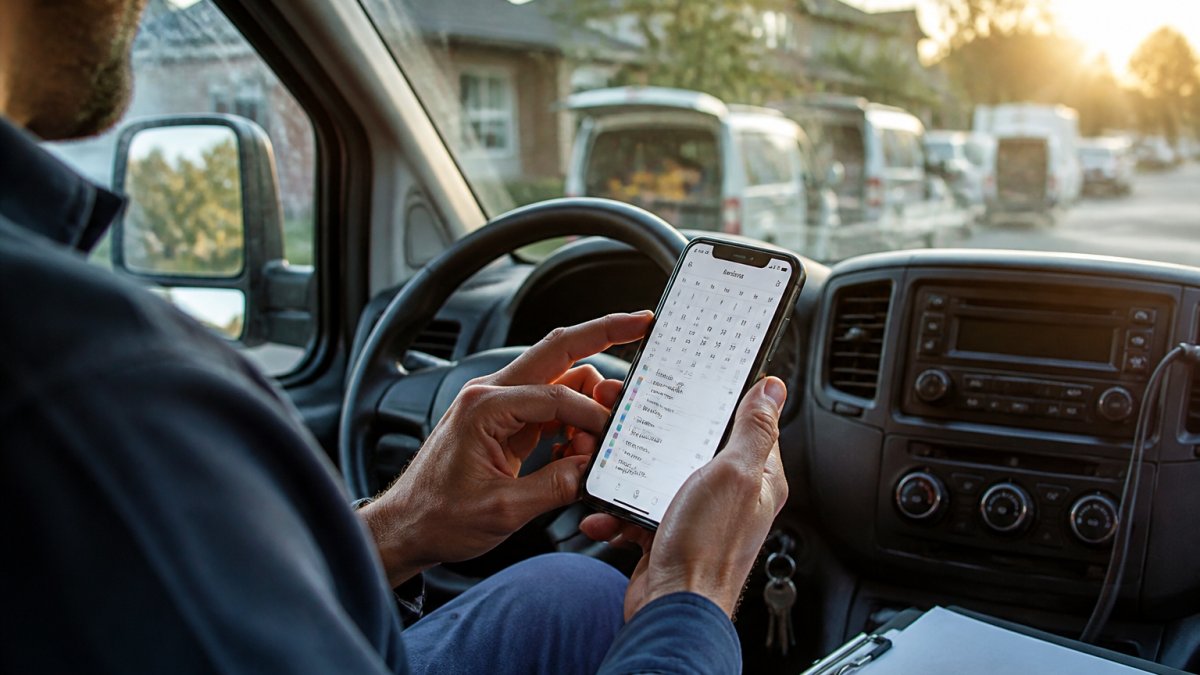
Most appointment scheduling solutions are designed for stationary businesses: salons, clinics, offices. You need a system that works for technicians in transit, handles route optimization, integrates with your existing tools, and books jobs 24/7 without manual intervention.
67% of consumers prefer booking appointments online rather than calling, emailing, or walking in, according to SimplyBook.me's 2026 Online Booking Statistics. For mobile service businesses, this preference creates both an opportunity and a challenge: customers want self-service booking, but your team needs visibility into technician availability, travel time, and service areas in real time.
Field Service Scheduling Software: Managing Technicians and Routes
Field service scheduling software matches available technicians to customer jobs while accounting for location, travel time, and skill requirements. Generic appointment systems can't factor in that your electrician is 20 minutes away from the next job, or that your plumber specializes in commercial work but the incoming call is residential.
The software must show real-time technician locations, calculate drive times, and prevent overbooking. When a job runs long or a cancellation opens a slot, the system should suggest the next available appointment automatically. Global Velocity's Business Operating System handles these field realities: your team gets visibility into who's available where, and customers see accurate time windows instead of vague estimates.
40% of online bookings happen outside business hours, according to SimplyBook.me's 2026 research. For mobile service businesses, this means your scheduling software must work 24/7 without anyone manually processing requests. The system should assign jobs overnight, send confirmations, and alert technicians the morning of their appointments.
Service Technician Scheduling Software: Dispatch and Assignment
Service technician scheduling software automates dispatch the moment a job arrives. The best systems use rules you define: skill level, service area, current workload, and vehicle capacity. A water damage emergency doesn't go to your routine maintenance crew; a commercial HVAC installation doesn't go to the residential specialist.
Dispatch automation eliminates calling technicians and waiting for responses. The software notifies the right technician immediately with job details, customer address, and estimated drive time. They accept or decline in seconds; if they decline, the system moves to the next available person automatically.
The software prevents double-booking and overlapping travel time. When a 2-hour job starts at 2 PM and the next customer is 25 minutes away, the software should block until 4:30 PM at earliest.
Online Booking Software for Service Businesses: Client Self-Scheduling
Online booking software lets customers reserve time slots directly from your website without calling. Your team no longer spends hours fielding scheduling questions, and customers get instant confirmation instead of waiting for a callback.
The booking page should display real availability based on technicians' actual schedules and service areas. If you service a 15-mile radius, the system shouldn't offer appointments outside that zone. If all electricians are booked Tuesday, the system shouldn't show Tuesday as available. Accuracy prevents frustration and no-shows.
Customers prefer specific appointment windows over vague ranges. "2:15 PM to 2:45 PM" is clearer than "between 2 and 4 PM." The software should offer precise slots based on travel time, job complexity, and technician availability.
Appointment Reminder Software: Reducing No-Shows and Cancellations
Appointment reminder software sends automated notifications before scheduled appointments, reducing no-shows by 25-40%. For mobile service businesses, a no-show means a technician drives to an empty address, loses billable hours, and can't fit another job into that slot.
Effective reminders use multiple touchpoints: SMS 24 hours before (allowing time to reschedule), a second reminder 2-4 hours before (higher engagement), and optional email. The best systems let customers choose their preferred channel during booking.
Detailed reminders should include the service type, technician's name, exact time window, address, and work description. Customers are more likely to be home and prepared when they know what to expect.
Two-way reminders let customers reply to reschedule or confirm without calling, reducing friction that leads to cancellations and no-shows.
Technicians should receive notifications 30-60 minutes before each appointment with the customer's address, phone number, service details, and estimated drive time. If running late, they should notify the customer automatically. Some systems also send route optimization alerts to save travel time.
Timing is critical. Reminders sent too early (more than 48 hours) are forgotten; too late (less than 1 hour) don't allow rescheduling. Most systems default to 24 hours and 2 hours before, but test what works for your customer base.
Reminders work best when paired with accurate, real-time availability. If your booking system allows overbooking, reminders won't solve the problem.
Integration and Consolidation: Replacing Multiple Tools
Most mobile service businesses run on a patchwork of software: phone system, CRM, payment processor, scheduling tool. Data lives in silos. When a customer books online, someone manually enters it into the CRM. When a job completes, someone manually logs it in accounting software. This duplication wastes time and creates errors.
The best appointment scheduling software integrates with your CRM, payment processor, invoicing system, and calendar. A single booking flows through all of them automatically. One source of truth instead of six.
Global Velocity's Business Operating System consolidates these functions into one platform. Your smart website handles bookings, your AI employee qualifies leads and schedules jobs, and your payments, CRM, and scheduling all sync automatically. You eliminate the manual work that buries small teams.
| Feature | Impact | Priority |
|---|---|---|
| Online booking | Customers book 24/7 without calling | High |
| Real-time dispatch | Jobs assigned instantly to the right technician | High |
| Automated reminders | No-shows drop by 30-40% | Medium |
| Payment integration | Less manual invoicing and follow-up | Medium |
| Route optimization | Fewer miles driven, more jobs per day | High |
Choosing the Right Appointment Scheduling Solution
Selecting appointment scheduling software requires matching the tool to your business structure, growth stage, and operational complexity. A solo electrician, a five-person HVAC team, and a 20-technician plumbing company have fundamentally different needs.
Evaluate by business size and service model. Solo operators need online booking and mobile access but not multi-technician dispatch rules. Growing teams (3-10 technicians) need automation: real-time dispatch, route optimization, and location-based job assignment. Larger operations (10+ technicians) need advanced features: custom dispatch rules, multi-location support, integration with accounting and CRM systems, and dedicated support. The ROI comes from fitting 20-30% more jobs into each technician's day.
Understand the true cost of ownership. Most vendors quote a per-user or per-month price, but that's only part of the cost. Ask about: payment processing fees (typically 2.2-3.5% of each transaction), per-technician add-ons (some charge $20-50 per additional user), SMS or email overage charges, integration fees for connecting to your CRM or accounting software, onboarding and training costs, and contract terms (month-to-month vs. annual commitments with early-termination penalties). A system that costs $200 per month might actually cost $400 when you factor in payment processing on $10,000 in monthly bookings, SMS reminders to 200 customers, and integration setup.
Test the mobile experience before committing. Your technicians will live on the app, so it needs to be fast, intuitive, and work reliably in poor signal conditions. Download the mobile app and walk through a typical day: Can you see your schedule for tomorrow? Can you accept a new job in under 10 seconds? Can you mark a job complete and capture a photo? Can you navigate to the customer's address without leaving the app? If the mobile experience feels clunky or slow, adoption will fail, and you'll end up with technicians calling the office for updates instead of using the system.
Ask about implementation and migration. How long does setup take? Can the vendor import your existing customer database, or do you manually enter 500 names? Will they help you configure dispatch rules, or do you figure it out alone? How much training does your team need, and is it included or extra? What happens during the migration, can you run the old system and new system in parallel, or do you have to switch overnight?
Evaluate integration depth. Does the software integrate with your CRM, accounting software, payment processor, and calendar? Integration should be two-way: when a customer books online, they're automatically added to your CRM and the invoice is pre-populated. When a technician marks a job complete, the invoice is finalized and ready to send. If integration is one-way or requires manual steps, you're not eliminating the manual work that buries small teams.
Check for flexibility in pricing and service areas. Some software charges per appointment or per booking, which can get expensive if you handle high volume. Others charge per technician, which scales better for growing teams. Some restrict you to a single service area or city, which is a problem if you expand. Ask whether you can add new service areas, add technicians, or change your service offerings without renegotiating your contract.
Start with a pilot. Before committing to a 12-month contract, run a 30-day trial with a subset of your bookings or a single technician. This reveals whether your team will actually adopt the system, whether the mobile app works in your service areas, and whether the software integrates smoothly with your existing tools. A vendor that won't offer a trial is a red flag.
Frequently Asked Questions
What features should appointment scheduling software include for mobile service businesses?
Look for 24/7 online booking, automated reminders to reduce no-shows, dispatch and route planning for technicians, calendar synchronization with your team, and integrated payments. The software should also handle rescheduling, cancellations, and provide mobile access so technicians can view job details in the field. According to SimplyBook.me, 40% of online bookings happen outside business hours, so always-available scheduling is essential.
How does appointment scheduling software reduce missed appointments?
Appointment reminder software sends automated notifications via email, SMS, or phone before scheduled jobs, significantly lowering no-show rates. The system can also allow customers to reschedule or confirm appointments directly, reducing confusion. By automating these touchpoints, you maintain professional communication without manual effort, freeing your team to focus on delivering service.
Can appointment scheduling software integrate with payment processing and CRM systems?
Yes. Modern appointment scheduling platforms consolidate booking, customer records, payments, and invoicing into one system. This integration eliminates data silos, reduces administrative workload, and ensures customer information flows seamlessly from booking through job completion and payment. Look for software that connects with your existing business tools to avoid re-entering data or managing multiple platforms.
Why do 67% of consumers prefer online booking over calling?
Online booking offers convenience, flexibility, and transparency. Customers can schedule appointments at their preferred time without waiting on hold or playing phone tag. SimplyBook.me reports that 67% of consumers now prefer booking online rather than calling, emailing, or walking in. For mobile service businesses, offering self-service online booking captures these customers and reduces the administrative burden on your team.