
 blog
blog
Scheduling Software for Residential Contractors: 2026 Guide
Table of Contents
- Why Scheduling Software Matters for Residential Contractors
- Key Features of Construction Scheduling Software
- Integrating CRM with Scheduling Software
- Automating Lead Qualification for Contractors
- Contractor Scheduling App Features That Drive Results
- How to Choose the Right Scheduling Software
- Implementation and Onboarding: What to Expect
- Frequently Asked Questions
Last Updated: September 26, 2026
Why Scheduling Software Matters for Residential Contractors
Missed calls cost money. A homeowner calls about a roof repair, gets voicemail, and books with your competitor instead. This happens dozens of times per month for most residential contractors operating without proper scheduling infrastructure.
Scheduling software for residential contractors solves this problem by centralizing job management, automating client communication, and eliminating the chaos of manual scheduling. According to SmartPM's State of Construction Scheduling Report 2026, analysis of over 120,000 Critical Path Method schedules revealed that contractors using digital scheduling tools achieve 12% to 18% reduction in project delivery timelines through optimized resource sequencing and better coordination.
Contractors who adopt scheduling software systematically outbook those who don't, they answer calls faster, qualify leads better, and book more jobs.
Key Features of Construction Scheduling Software
Core features that matter:
Mobile accessibility, Your team works in the field, not at a desk. Mobile-first apps like Connecteam, used by over 80,000 businesses according to Connecteam's 2026 platform data, let crews access schedules, update job status, and capture photos from the jobsite in real time.
Real-time updates. When a job finishes early or a subcontractor cancels, the entire team sees the change instantly, eliminating conflicting schedules and wasted trips.
Resource allocation. The software shows which crew members, vehicles, and equipment are available, preventing overbooking and identifying staffing gaps.
Client communication. Automated reminders, notifications, and payment requests reduce phone calls and set clear expectations.
Integration with project management workflows. Your scheduling system should connect with your CRM, accounting software, and payment processor to eliminate manual data entry.
Gantt charts and timeline visualization. Visual representations show task dependencies, critical paths, and resource bottlenecks for multi-phase projects.
Integrating CRM with Scheduling Software
A scheduling system disconnected from your CRM creates duplicate work: your sales team captures a lead in the CRM, then your office staff manually enters it into scheduling software, creating two data entry steps and two places for errors.
Integrated systems eliminate this friction. When a prospect books a job, the appointment automatically populates your scheduling software, the crew sees it on their mobile device, and the client receives an automated confirmation. Many contractors find that combining a robust scheduling platform with a Business Operating System (BOS) creates a unified workflow where CRM, scheduling, and operations all communicate seamlessly, reducing manual handoffs across departments.
This integration also improves lead qualification by flagging high-value jobs and identifying patterns in customer demand.
Automating Lead Qualification for Contractors
Automating lead qualification ensures your team focuses on high-value opportunities, not every inbound call.
Effective lead qualification captures essential information before your estimator's time is spent:
- Project scope and budget range
- Timeline and urgency
- Whether the customer has received competing quotes
- Access and site conditions that affect pricing
AI-powered systems handle qualification 24/7, automatically scheduling estimates for qualified leads and routing low-value leads to a callback queue. Tools like AI Employee can manage this qualification process around the clock, responding to inquiries and pre-screening leads so your team focuses only on high-probability opportunities.
This increases your close rate and improves customer experience through immediate responses.
Contractor Scheduling App Features That Drive Results
Offline functionality. Apps store job details and customer information locally so crews can access everything without internet, syncing automatically when connectivity returns.
Photo and document capture. Crews capture photos and measurements directly in the app, creating a complete project history.
Time tracking and labor reporting. Track labor hours by crew member and job, feeding directly into payroll and job costing.
Subcontractor coordination. Invite subcontractors into the system to view jobs, update status, and receive communication without group texts or email chains.
Payment processing. Accept payments directly through the app before the crew leaves the jobsite.
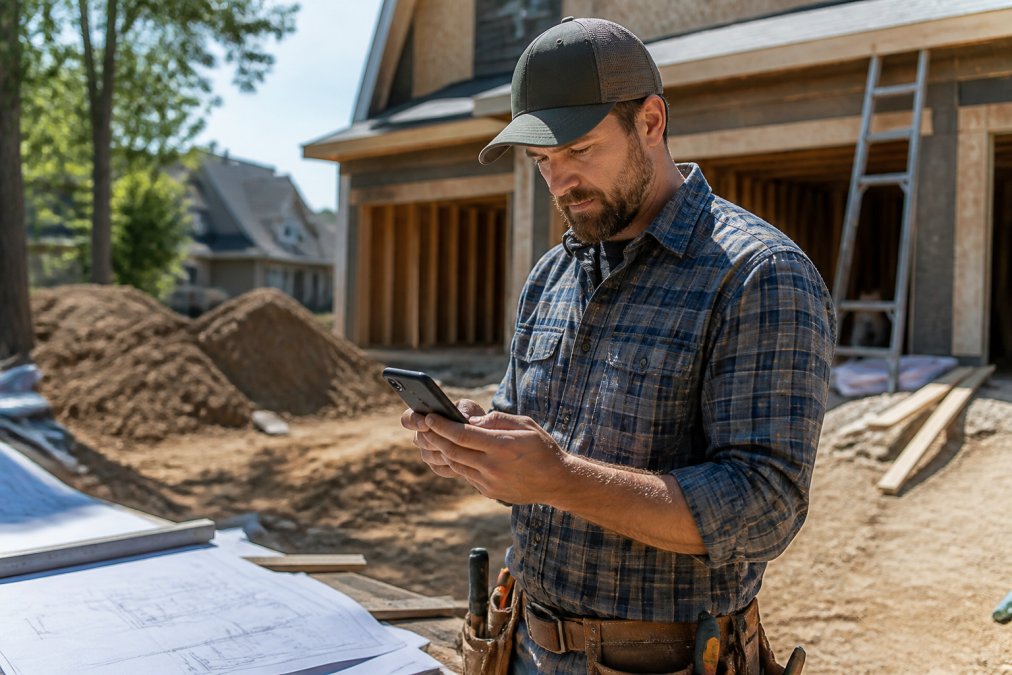
According to Dataintelo's Construction Scheduling Software Market Report 2026, contractors implementing these mobile-first features see significant improvements in operational efficiency and reduced project delays through better real-time coordination.
How to Choose the Right Scheduling Software
Identify your specific pain point: lost calls, crews at wrong addresses, or projects over budget. Different problems require different solutions.
For small residential contractors (1-5 crew members): Prioritize simplicity and mobile-first design. Drag-and-drop scheduling and one-click job updates matter more than advanced reporting. The tool should integrate with accounting software (like QuickBooks Online) so job completion automatically triggers invoices, eliminating manual data entry and billing errors.
For mid-size contractors (6-20 crew members): Look for integration with both accounting and payroll software. Time entries should flow directly into your payroll processor, and labor hours should allocate to job codes so you can track true job profitability. Verify the software supports multiple crew types (full-time, part-time, subcontractors) with different pay rates.
For larger operations (20+ crew members): Advanced resource leveling, multi-project timelines, and detailed analytics become essential. The system should integrate with project accounting software to track job profitability across crews and locations, and support "what-if" scenarios for hiring and cost changes. Integration with equipment management systems ensures tool availability is factored into scheduling automatically.
| Feature Priority | Small Contractors | Mid-Size Contractors | Larger Operations |
|---|---|---|---|
| Mobile accessibility | Critical | Critical | Critical |
| CRM integration | Important | Critical | Critical |
| Accounting sync (invoicing) | Important | Critical | Critical |
| Payroll integration | Nice to have | Critical | Critical |
| Multi-crew resource leveling | Not needed | Important | Critical |
| Equipment/asset tracking | Not needed | Nice to have | Critical |
| Advanced reporting | Not needed | Important | Critical |
| Subcontractor portal | Nice to have | Important | Critical |
Key trade-off: Depth vs. ease of use. Small-contractor tools are fast to set up but lack reporting depth. Enterprise tools are powerful but require 4-6 weeks of implementation. Choose based on where you are now, switching systems is disruptive and expensive.
Integration complexity varies widely. Some platforms offer pre-built connectors to QuickBooks, ADP, and Stripe. Others require custom API integration. Before committing, ask the vendor which of your existing tools they integrate with natively.
Evaluate based on your team's actual workflow. A focused tool with features you'll use daily delivers better ROI than one with 200 unused features.
Implementation and Onboarding: What to Expect
Most contractors underestimate implementation time. You're changing how your entire team works, and underestimating this timeline is a top reason implementations fail.
A realistic implementation timeline:
Week 1-2: Setup and data migration. Your team configures the system, imports existing customer and job data, and sets up integrations with accounting and payment software. This step is more complex than it sounds. If you've been using spreadsheets or paper schedules, you'll need to standardize customer contact information, job addresses, and project descriptions before importing. Expect 8-12 hours of setup time, plus an additional 4-6 hours if you're integrating with QuickBooks, Wagepoint, or other accounting platforms. Data migration often surfaces problems: duplicate customer records, inconsistent job naming conventions, missing contact information. Plan for a 2-3 day delay while your team cleans historical data.
Week 3-4: Team training. Your crew learns the mobile app, practices updating job status, and gets comfortable with the new workflow.
Common implementation obstacles and how to avoid them:
Measuring ROI during onboarding:
- Missed calls: How many inbound calls go to voicemail per week? After implementation, this should drop by 30-50% because your team can answer calls and immediately see availability.
- Double-booked jobs: How often do crews show up at the same address simultaneously? This should drop to near zero.
- Time spent on scheduling: How many hours per week does your office staff spend managing schedules manually? This should drop by 60-80%.
- Job completion delays: What percentage of jobs finish on schedule? This should improve by 15-25% because crews have clear timelines and can flag delays early.
- Billing accuracy: How many invoices require corrections or adjustments? This should drop by 40-60% once job data flows directly from scheduling to accounting.
Frequently Asked Questions
What features should residential contractors look for in scheduling software?
Residential contractors should prioritize real-time jobsite coordination, mobile accessibility for field crews, resource allocation tools, and integration with existing CRM and payment systems. The 2026 State of Construction Scheduling Report analyzed 120,000+ schedules and found that contractors using platforms with mobile-first design and automated task dependencies reduced project delivery timelines by 12-18%. Look for software that handles gantt charts, milestone tracking, and subcontractor management without requiring extensive training.
How does scheduling software improve project timelines for residential builds?
Scheduling software reduces dead days and project delays by automating workflow automation, resource leveling, and task dependencies. When contractors use digital scheduling tools instead of manual spreadsheets, they gain data-driven insights into bottlenecks and can reallocate resources immediately. Platforms that integrate with your project management system eliminate communication gaps between office staff and field teams, cutting delays caused by missed updates or unclear timelines.
Can scheduling software integrate with accounting and CRM tools?
Yes. Modern scheduling platforms are designed to sync with CRM systems, accounting software, and payment processors. This integration eliminates duplicate data entry and ensures that lead management, project timelines, and billing information stay synchronized. When your scheduling software connects to your entire business operating system, you reduce errors and gain visibility across the construction lifecycle from initial client communication through project completion and payment.
What is the difference between general project management and dedicated scheduling software?
General project management tools offer broad functionality for teams across industries, while dedicated scheduling software for residential contractors focuses specifically on jobsite coordination, resource allocation, and field productivity. Scheduling software includes features like gantt charts, critical path method visualization, and mobile accessibility designed for field crews. Dedicated tools also typically handle contractor-specific workflows like subcontractor management and real-time updates that general platforms don't prioritize.