
 ultimate-guide
Managing Service Business Operations: A 2026 Guide
Table of Contents
- What Managing Service Business Operations Really Means
- The Service Operations Management Cycle
- Service Operations Management Best Practices
- Automating Customer Lead Qualification in Service Operations
- Best Tools for Roofing Business Automation and Service Dispatch
- Identifying and Fixing Service Fail Points
- Scaling Service Operations Without Scaling Headcount
- Frequently Asked Questions
Last Updated: September 23, 2026
What Managing Service Business Operations Really Means
Managing service business operations means orchestrating every touchpoint where your customer interacts with your business, from initial contact through payment. It's about designing systems that capture leads, qualify them accurately, dispatch resources efficiently, and gather feedback that improves the next interaction.
For trades and service businesses, this is where most operational failures happen. According to research on operational challenges in service businesses, 77% of service organizations report accountability gaps and manual tracking as primary obstacles to scaling. The difference between a business that grows and one that plateaus often comes down to how well these operations are orchestrated.
Small operational gaps compound quickly. A missed call becomes a lost customer. A manual scheduling process becomes a bottleneck. Managing service business operations effectively means eliminating these friction points before they cost you money.
The Service Operations Management Cycle
The service operations management cycle has three phases: design and planning, delivery and execution, and feedback and improvement.
Design and Planning
This phase defines your service and how you'll deliver it. You establish service level agreements (SLAs), promises about response time, quality, and availability, and map the customer journey to identify required steps and resource allocation.
The critical mistake most service businesses make is skipping this phase. They operate reactively, handling whatever comes in without a clear design.
Delivery and Execution
This is where the actual service happens. A customer calls or submits a request, your team qualifies the lead, schedules the appointment, dispatches the technician, and executes the work. Real-time scheduling and dispatch systems ensure the right person reaches the right customer at the right time.
Feedback and Improvement
After service delivery, collect feedback from customers and your team. This loops back into the design phase, where you refine processes, adjust SLAs, and optimize resource allocation.
Service Operations Management Best Practices
Three practices separate businesses that scale from those that stall: process standardization, clear SLAs, and performance metric monitoring.
Standardize Your Processes
Standardization means documenting how work gets done and ensuring every team member follows the same steps. This enables faster training, catches mistakes early, and identifies bottlenecks.
Define Clear Service Level Agreements
An SLA is a written commitment about response time, availability, quality standards, and consequences for missing them. Clear SLAs eliminate ambiguity and give your team a target to hit.
Monitor Performance Metrics
You can't improve what you don't measure. Key metrics: response time, fulfillment rate (percentage of jobs completed on time), and customer satisfaction (measured through post-service surveys).
Automating Customer Lead Qualification in Service Operations
Lead qualification is where many service businesses leak revenue. Your team either books someone who can't do the work or misses high-value opportunities by not asking the right questions.
Why Lead Qualification Fails Without Automation
Manual qualification is inconsistent. One team member asks five questions; another asks two. This creates wasted dispatch time, customer dissatisfaction, and revenue loss.
Building Qualification Workflows That Work
Define what makes a qualified lead. For a roofing company: residential property, visible damage, customer available within 7 days, in service area. For HVAC: system over 10 years old, customer willing to quote, accessible unit.
Best Tools for Roofing Business Automation and Service Dispatch
Effective service operations depend on integrated tools. The real challenge is connecting them so data flows seamlessly and your team doesn't waste time re-entering information.
The Integration Problem Most Service Businesses Face
A typical service operation uses 4-7 separate tools: phone system, scheduling app, CRM, quoting tool, payment processor, and field service app. Each works in isolation but doesn't sync with the others. A customer books an appointment in scheduling, but it doesn't sync to your CRM.
What to Look for in a Unified Platform
Key integration points to verify:
Lead-to-Job Pipeline: Leads should automatically populate your CRM, trigger qualification workflows, and feed into scheduling without manual re-entry.
Common Integration Pitfalls to Avoid
API-Only Connections: Some platforms only offer API access, requiring a developer to build custom connections. This is expensive and fragile. Prefer pre-built, native integrations.
Evaluating Your Current Tech Stack
If you already use multiple tools, audit them for integration gaps:
- Map your data flow: Where does data get re-entered manually?
- Identify bottlenecks: Which manual handoffs take the most time or cause errors?
- Test integration: Ask vendors whether they integrate with your existing tools and request a test environment.
- Calculate the cost of manual work: If your team spends 10 hours per week on data entry, that's significant wasted labor. A platform that eliminates that work pays for itself quickly.
Identifying and Fixing Service Fail Points
A fail point is any step where things regularly go wrong: missed calls, inaccurate scheduling, poor quotes, payment delays, missing follow-ups.
Scaling Service Operations Without Scaling Headcount
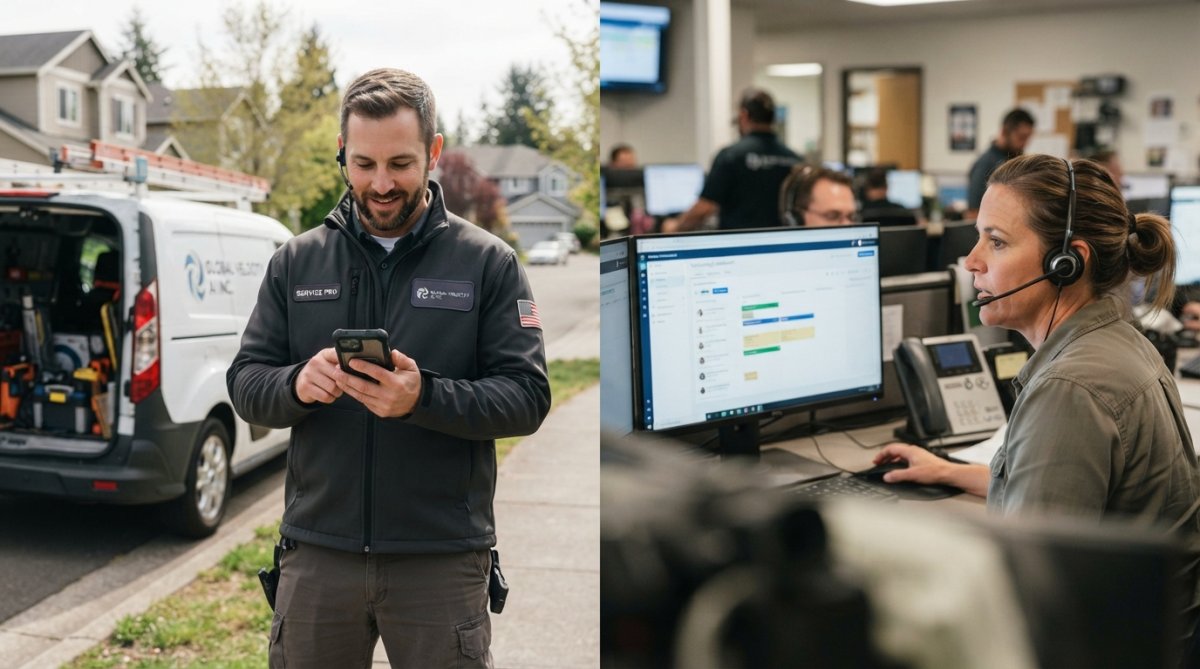
Automation for Volume: The Front-End Lever
Automation frees your team from administrative work to focus on billable service delivery. A business handling calls and bookings manually might process 20-30 interactions per day per person. With automation, the same person handles 100+ interactions per day.
Post-Service Feedback Loops: The Recurring Revenue Lever
A post-service feedback loop captures three critical data points:
Immediate Satisfaction: Within 24 hours, send a brief survey (2-3 questions) via text or email asking whether the work met expectations and if they'd recommend you.
How Post-Service Loops Drive Recurring Revenue
A customer pays $500 for an emergency repair. Without a post-service loop, that's one-time revenue. With one:
- You fix issues and turn mediocre experiences into positive ones.
- You suggest maintenance plans, converting to recurring revenue.
- You track due dates and send reminders, preventing competitor calls.
- You build service history for easier upsells.
Operationalizing the Feedback Loop
To make post-service feedback systematic, not ad-hoc:
-
Automate the survey trigger: The moment a job is marked complete in your system, automatically send a satisfaction survey via text or email. No manual step required.
-
Route issues to the right person: If a customer reports dissatisfaction, the system should flag it for your service manager or the original technician, depending on your process. Include the job details and customer history so they can respond intelligently.
-
Suggest follow-up work based on rules: Create rules like "If HVAC repair completed, suggest seasonal maintenance plan" or "If plumbing repair completed, suggest water heater inspection." The system should surface these suggestions to your team or send them to the customer automatically, depending on your sales process.
-
Track maintenance due dates: When a customer enrolls in a maintenance plan, the system should track when the next service is due and send reminders (to your team and the customer) 1-2 weeks before. This prevents missed appointments and keeps revenue predictable.
-
Measure the impact: Track what percentage of customers complete the post-service survey, what percentage report satisfaction, what percentage accept upsell suggestions, and what percentage convert to recurring plans. These metrics show whether your post-service process is working.
The Scaling Math
If you acquire 100 new customers per month and 30% convert to a recurring maintenance plan at $120/month, that's $3,600 in new recurring revenue per month. Over a year, that's $43,200 in predictable, recurring revenue from customers you've already acquired and trained. You don't need to hire more technicians to capture this revenue; you just need to systematize the follow-up.
Frequently Asked Questions
What does managing service business operations mean for a trades business?
Managing service business operations means coordinating every step from the moment a customer calls through to job completion and follow-up. For trades businesses, this includes answering calls, qualifying leads, scheduling technicians, dispatching jobs, collecting payments, and gathering feedback. Seventy-seven percent of service businesses report accountability gaps in these areas, making structured management critical to avoid lost revenue and customer dissatisfaction.
How can automating customer lead qualification improve service business efficiency?
Automating customer lead qualification captures essential details about every job, budget, timeline, scope, and location, before it reaches your team. This prevents booking jobs you cannot handle and ensures your technicians receive complete information. Automated qualification also works 24/7, capturing leads outside business hours that manual processes would miss. The result is fewer wasted appointments and higher job acceptance rates.
What are the best tools for roofing business automation?
The best tools for roofing business automation integrate scheduling, customer data, payment processing, and communication into one platform. Look for systems that handle real-time dispatch, automatic quote generation, payment collection, and appointment reminders. A unified Business Operating System (BOS) that replaces multiple disconnected tools eliminates data loss during handoffs and reduces the time your team spends switching between systems.
How do you measure success in service business operations?
Measure success through response time (how quickly you answer calls), job booking rate (percentage of qualified leads booked), first-time fix rate (jobs completed without callbacks), and customer satisfaction scores. Track operational efficiency by monitoring time spent on scheduling, dispatching, and administrative tasks. Monitor revenue impact by comparing booked jobs before and after implementing operational improvements. Performance metrics should connect directly to your bottom line.
Can a small service business with two people in the office use service operations automation?
Yes. Small teams benefit most from automation because each person handles multiple roles. Automated call answering, lead qualification, and scheduling free your team from administrative work, letting you focus on actual service delivery. Many automation platforms are designed specifically for small operations and scale as you grow, so you do not need to invest in infrastructure built for larger teams.
What happens if the automation system makes a mistake or books a job you cannot do?
Properly configured automation systems ask qualifying questions that match your actual service scope, preventing mismatched bookings. If a mistake occurs, you should have clear escalation paths to your team for review before confirmation. Choose systems with transparent decision rules so you understand exactly how leads are being qualified and can adjust criteria as needed. Regular monitoring of booked jobs helps you refine the qualification logic over time.