
 blog
blog
Best AI Scheduling Apps for Field Service 2026
Table of Contents
- Why AI Scheduling Apps Matter for Field Service Businesses
- Key Features to Look for in AI Scheduling Apps
- How AI Receptionists Transform Field Service Operations
- Automated Dispatching Software for Contractors: The Game Changer
- Comparing Sameday AI vs Nucleus AI for Field Service Needs
- Implementation Challenges and How to Overcome Them
- Calculating ROI: What to Expect from AI Scheduling Investment
- Frequently Asked Questions
Last Updated: September 25, 2026
Why AI Scheduling Apps Matter for Field Service Businesses
Nearly 80% of high-performing field service teams now use AI-integrated scheduling features, according to GigaCatalyst's 2026 field service adoption analysis. That's not a coincidence. When your technicians spend hours managing calendars instead of fixing problems, you're leaving money on the table. AI scheduling apps for field service solve a specific, painful problem: the gap between customer demand and your team's actual capacity.
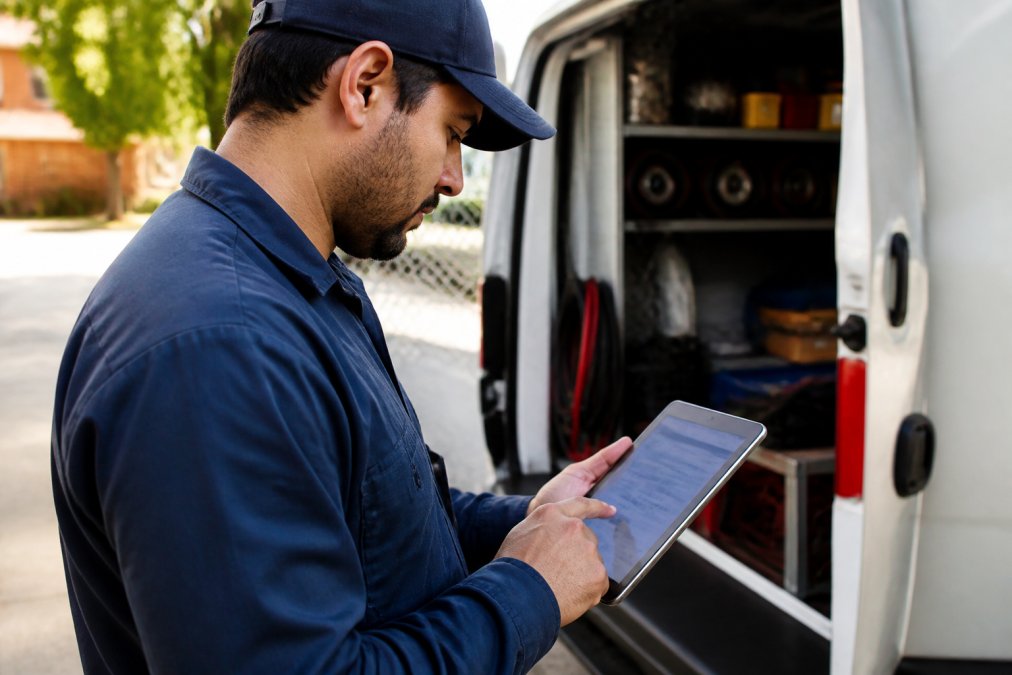
Most field service businesses still rely on manual scheduling. A dispatcher juggles phone calls, emails, and spreadsheets while customers wait days for appointments, technicians drive inefficient routes, and callbacks happen because the wrong person was sent to the job.
AI scheduling apps for field service automate the entire dispatch process. They match jobs to technicians based on skills, location, and availability. They optimize routes in real time. They handle customer communication automatically. The payoff is immediate: businesses using AI-powered staff scheduling report reductions in manual scheduling time of up to 90%, according to Workeen AI's 2026 operational efficiency analysis.
Key Features to Look for in AI Scheduling Apps
When evaluating AI scheduling apps for field service, focus on features that directly impact your bottom line.
Automated dispatching is the foundation. The system should assign jobs to technicians based on multiple factors: skill set, certification, current location, workload, and travel time. This isn't just convenience, it's the difference between a first-time fix and a callback. According to Simpro Group's 2026 field service analysis, AI in field service is primarily applied to smarter scheduling, dispatching, and real-time route optimization to improve profit margins.
Real-time GPS tracking shows technician locations and drive times, lets you respond to urgent jobs by finding the closest person, and calculates the fastest route between stops to cut fuel costs and increase jobs completed per day.
Mobile-first design works offline and syncs automatically, letting technicians update job status, capture photos, and collect signatures in the field.
Integration with existing tools connects your CRM, accounting software, payment processor, and customer portal so invoices generate automatically and online bookings confirm instantly.
Skill-based and location-aware dispatching ensures the right person reaches the right job, reducing training costs and eliminating mismatches like sending an HVAC tech to an electrical problem.
How AI Receptionists Transform Field Service Operations
An AI receptionist for field service handles the front-desk work your team doesn't have time for. While your technicians are on jobs, the AI answers calls, qualifies leads, books appointments, and sends confirmations, 24/7.
Most field service businesses lose calls to voicemail. An AI receptionist answers in under two seconds, qualifies the job, and books it directly into your schedule, or offers callback times for fully booked slots.
The best systems sound natural and are trained on your business, service offerings, and brand voice, understanding urgency and booking emergency slots when needed.
Global Velocity's AI employee answers calls in natural conversation trained on your business and integrates directly with scheduling so every booking flows into dispatch without manual entry.
Automated Dispatching Software for Contractors: The Game Changer
Automated dispatching software for contractors solves three problems: inefficient routes, wrong-person assignments, and callbacks from missed details.
Automated systems know technician skills, traffic conditions, and job priorities, then suggest the next closest appointment to minimize dead time.
The result: more jobs per technician per day, fewer callbacks, higher satisfaction, and lower fuel costs.
After a month, most teams see the benefit: less wasted time, more billable hours, and fewer routing decisions.
Comparing Sameday AI vs Nucleus AI for Field Service Needs
Both platforms serve the field service market differently. Understanding those differences helps you pick the right fit for your business size and growth trajectory.
Sameday AI focuses on speed and simplicity with 1-2 day setup and integrations with common tools. It suits small teams (1-10 technicians) but offers limited reporting and fewer advanced features for larger operations.
Nucleus AI targets mid-market and enterprise with deeper customization, sophisticated routing, and 200+ integrations. Setup takes 2-4 weeks and suits teams planning to grow beyond 20 technicians or needing advanced analytics.
Your choice depends on three factors:
1. Team size and growth trajectory. Small teams (1-10) favor Sameday AI for faster ROI. Teams expecting growth beyond 20 technicians favor Nucleus AI's scalability.
2. Service complexity. Simple models favor Sameday AI; complex multi-trade operations with recurring contracts favor Nucleus AI.
3. Integration requirements. Sameday AI integrates with common platforms; Nucleus AI connects to 200+ systems. Verify integration support before committing, as hidden costs often exceed software costs.
| Feature | Sameday AI | Nucleus AI |
|---|---|---|
| Setup time | 1-2 days | 2-4 weeks |
| Best for | Small teams (1-10 people) | Mid-market (20+ people) |
| Customization | Limited | Extensive |
| Mobile experience | Simple, fast | Feature-rich |
| Integration options | Common platforms | 200+ integrations + custom API |
| Reporting depth | Basic | Advanced analytics |
| Multi-service-line support | Limited | Full |
| Skill-based dispatching | Basic | Advanced |
How to evaluate any platform. Create a decision scorecard weighting: setup speed, ease of use, routing sophistication, mobile offline functionality, integration breadth, reporting, support quality, and scalability. Score each vendor 1-5 on each factor.
Ask for a reference call with a customer who implemented 6-12 months ago and ask what surprised them, which features they actually use, and whether they'd choose the vendor again.
Implementation Challenges and How to Overcome Them
Rolling out AI scheduling apps field service faces predictable challenges: team resistance and data quality issues.
Resistance from technicians is the biggest hurdle. Dispatchers may feel replaced and technicians worry about autonomy. Dismissing these concerns guarantees failure.
Involve top technicians in selection and let them test the platform for one week before full rollout. When they see reduced admin work and fewer callbacks, they become advocates. Celebrate early wins publicly, peer influence drives adoption.
Data quality issues emerge within the first week and can cripple the system if not addressed upfront. If your customer database is messy (incomplete addresses, outdated phone numbers), if job history is sparse or inconsistent, or if technician skills and certifications aren't accurately recorded, the AI makes poor decisions. A system trained on garbage data will dispatch the wrong person to jobs, suggest inefficient routes, and lose your team's trust immediately.
Spend a full week cleaning your data before launch, not after. Create a data audit checklist: verify every technician's certifications and skill tags match your service offerings; update all customer addresses and phone numbers against a postal database; document job types consistently (don't mix "HVAC repair" with "heating fix" in the same field); flag any technician with incomplete profiles. This upfront work prevents months of frustration and system workarounds later. Many platforms offer a data-import review service; use it. If your data is particularly messy, consider hiring a contractor to clean it, the cost is negligible compared to a failed rollout.
Integration failures happen when systems don't talk to each other cleanly, creating manual workarounds that defeat the entire purpose of automation. A job booked in the scheduling app doesn't trigger an invoice in your accounting software. A technician status update doesn't reach your customer portal. Payment information doesn't sync back to your CRM. These gaps force your team to re-enter data manually, which is exactly what you're trying to eliminate.
Before committing to a platform, run a formal integration test with your existing tools.
Calculating ROI: What to Expect from AI Scheduling Investment
The math on AI scheduling apps for field service is straightforward, but you need to measure the right metrics.
Next, model the improvements. A typical small team sees:
- 15-20% increase in jobs completed per technician per week (fewer drive-time gaps, smarter routing)
- 10-15% reduction in callbacks (right person sent to each job)
- 5-10 hours per week saved in dispatch administration
Frequently Asked Questions
What is the best field service scheduling app for small contractors?
The best choice depends on your specific needs: team size, integration requirements, and budget. Leading platforms offer automated dispatching, real-time technician tracking, and work order management. Nearly 80% of high-performing field service teams use AI-integrated scheduling features (GigaCatalyst, 2026). Look for apps that reduce manual scheduling time by up to 90% while supporting your existing CRM and payment systems. Request demos from multiple providers to see which aligns with your workflow.
How do AI scheduling apps improve field service efficiency?
AI scheduling apps automate dispatch decisions based on technician skills, location, and availability, eliminating manual calendar conflicts. They optimize routes to reduce travel time and improve first-time fix rates. Businesses using AI-powered scheduling report up to 90% reduction in manual scheduling time (Workeen AI, 2026). Real-time tracking and automated reminders reduce no-shows, while predictive maintenance scheduling helps prevent service interruptions. The result is faster response times, better resource allocation, and higher technician utilization.
Can AI scheduling software integrate with my existing CRM and payment systems?
Yes. Modern AI scheduling platforms are designed for integration with established CRM and payment systems. However, integration complexity varies. Some platforms offer native connectors, while others require API setup. Before committing, confirm that the provider supports your specific CRM, invoicing software, and payment processor. Request a technical consultation to map out the integration process and data migration.
What should I know about AI receptionists handling field service calls?
AI receptionists answer calls in under two seconds and qualify leads by asking about job requirements, budget, and timeline before booking appointments. They work 24/7, ensuring no missed calls during business hours or after hours. The key difference from standard scheduling apps is conversational intelligence: modern AI receptionists maintain a natural tone trained on your specific business language and service offerings. They reduce the burden on your front desk staff and improve lead conversion by capturing information that helps technicians prepare for jobs. Verify that the platform supports your service area and handles complex customer scenarios relevant to your trade.